
16.异步流式模型调用
异步流式模型调用
前面介绍的教程中,更多的还是是同步调用,对于某些场景,同步调用可能无法满足,比如:
- 模型返回结果是流式数据,比如:图片生成、语音合成、视频生成等等;
- 模型返回结果是异步数据,比如:图片识别、语音识别、视频识别等等;
- 模型返回结果是分批次数据,比如:图片识别、语音识别、视频识别等等;
此外,同步调用需要等待LLM处理完,将所有的结果一并返回;因此对用户的体验并不友好,需要一直空等;因此通过流式的逐步返回,无疑是一个非常好的选择;接下来我们看一下SpringAI如何实现LLM的流式访问
一、实例演示
首先我们需要创建一个SpringAI的项目,基本流程同 创建一个SpringAI-Demo工程
1. 初始化
创建一个 ChatController,自动注入 ChatModel,并基于 ChatModel 实例化 ChatClient
@RestController
public class ChatController {

    private final ChatModel chatModel;

    private final ChatClient chatClient;

    public ChatController(ChatModel chatModel) {
        this.chatModel = chatModel;
        this.chatClient = ChatClient.builder(chatModel).build();
    }
}
2. ChatModel流式访问
对于ChatModel流式访问,与前面直接访问LLM的区别不大,只是将最后的 call 调用改成 stream 调用
/**
 * 流式访问, sse 的方式返回文本给用户
 *
 * @param msg
 * @return
 */
@GetMapping(path = "chat", produces = MediaType.TEXT_EVENT_STREAM_VALUE)
public Flux<ChatResponse> chatV1(String msg) {
    return this.chatModel.stream(new Prompt(msg));
}
通过 stream() 方法调用,返回的是 Flux<ChatResponse>,我们定义返回头为 text/event-stream,这样客户端就可以接受流式的数据返回
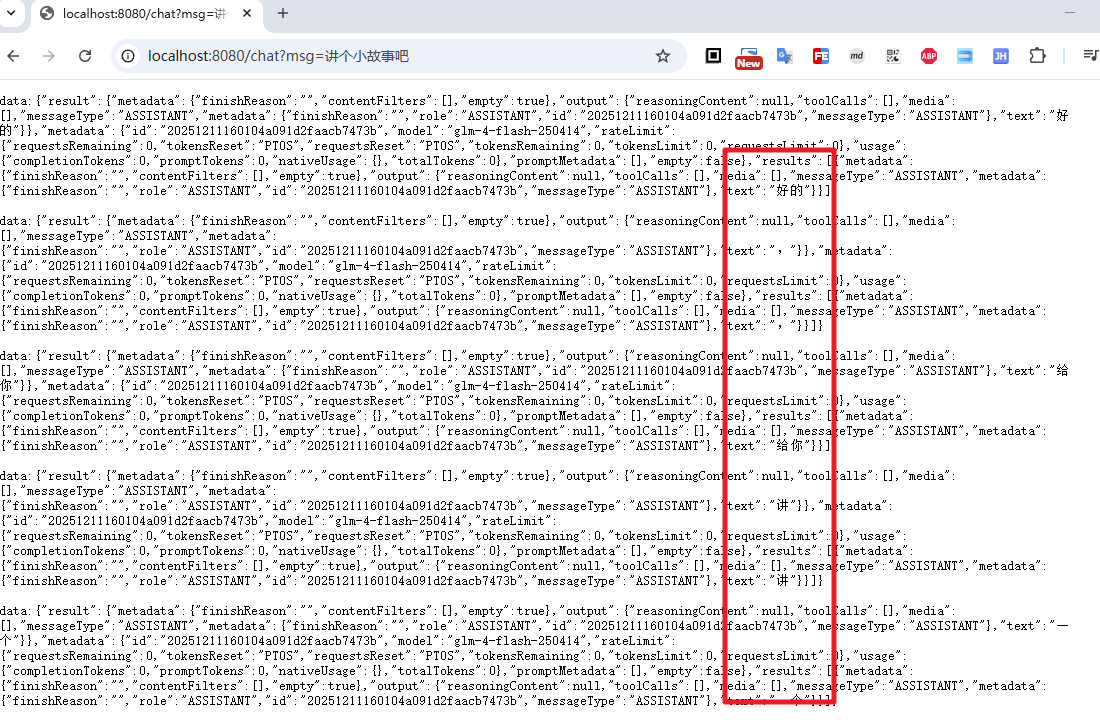
从上面的截图中可以看到,返回的流式数据,每次返回一个 ChatResponse 对象,需要客户端从中解析 output.text
3. ChatClient流式反问
对于ChatClient的流式请求,同样是将发起请求的call调用改成stream调用
对于ChatClient.stream()后的结果调用,官方提供了三种方式
stream().content(): 返回Flux<String>stream().chatClientResponse(): 返回Flux<ChatClientResponse>stream().chatResponse(): 返回Flux<ChatResponse>
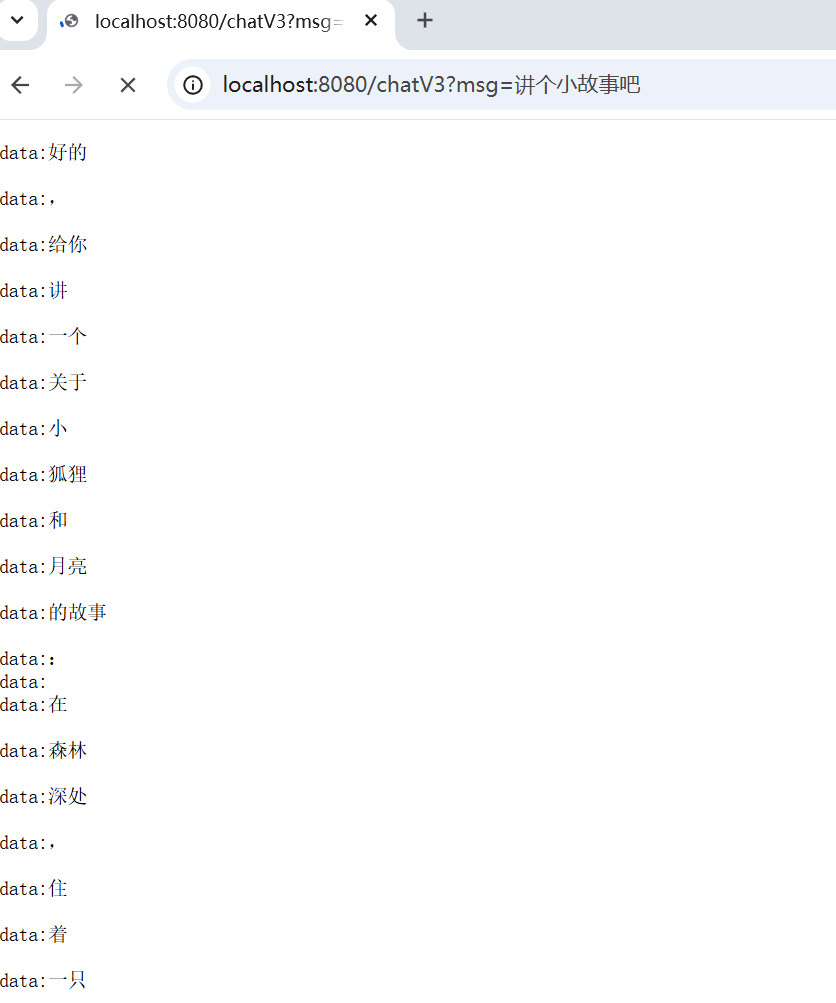
下面我们使用最简单 content() 进行演示,只关注LLM的返回结果
@GetMapping(path = "chatV3", produces = MediaType.TEXT_EVENT_STREAM_VALUE)
public Flux<String> chatV3(String msg) {
    return chatClient.prompt(msg).stream().content();
}
4. 完整结果拼接
对于某些场景,我们需要将流式数据拼接成完整结果然后再一次返回给客户端,即此时需要我们自己来解析 Flux<ChatReponse>,对于此,可以使用下面几种方式来实现
case1: 直接使用 Flux.collectionList()
@GetMapping(path = "chatV2")
public String chatV2(String msg) {
    Flux<ChatResponse> res = chatModel.stream(new Prompt(msg));
    List<ChatResponse> responses = res.collectList().block();
    StringBuilder content = new StringBuilder();
    for (ChatResponse response : responses) {
        content.append(response.getResult().getOutput().getText());
    }
    return content.toString();
}
case2: 使用 Flux.reduce()
@GetMapping(path = "chatV4")
public String chatV4(String msg) {
    Flux<String> res = chatClient.prompt(msg).stream().content();
    String content = res.reduce("", (a, b) -> a + b).block();
//    这里也可以使用collect方式来拼接结果
//        res .collect(StringBuilder::new, StringBuilder::append).block().toString();
    return content;
}
case3: 使用 subscribe() + SseEmitter 实现更灵活的流式返回
这种方式依然是流式返回给调用方;但是借助SseEmitter,从而实现更灵活的定制化(如后台服务也希望使用LLM的返回结果,此时就可以在subscribe的逻辑中进行定制化开发)
@GetMapping(path = "chatV5", produces = MediaType.TEXT_EVENT_STREAM_VALUE)
public SseEmitter chatV5(String msg) {
    SseEmitter sseEmitter = new SseEmitter();
    Flux<String> res = chatClient.prompt(msg).stream().content();
    res.doOnComplete(sseEmitter::complete)
            .subscribe(txt -> {
                try {
                    sseEmitter.send(txt);
                } catch (IOException e) {
                    throw new RuntimeException(e);
                }
            });
    return sseEmitter;
}
二、总结
本文这里介绍了SpringAI通过stream的方式访问LLM的流式数据,从上面的实际体验来看,和同步访问相比,流式访问的体验更加友好,用户可以更早的看到结果,并且可以更灵活的定制化返回结果;但是从编码的角度出发,两者又没有太明显的区别,对于应用者而言,这一点可以说是非常友好了